|
Just follow the simple steps below to enjoy stabler and higher quality calls in Hong Kong with VoLTE!
Reminder: Subject to the compatibility requirements of your device and operation system. VoLTE service is only available under LTE network coverage with designated handsets.
|
|
iOS (Single SIM)
iOS (Dual SIM)
Android
|
|
iOS (Single SIM)  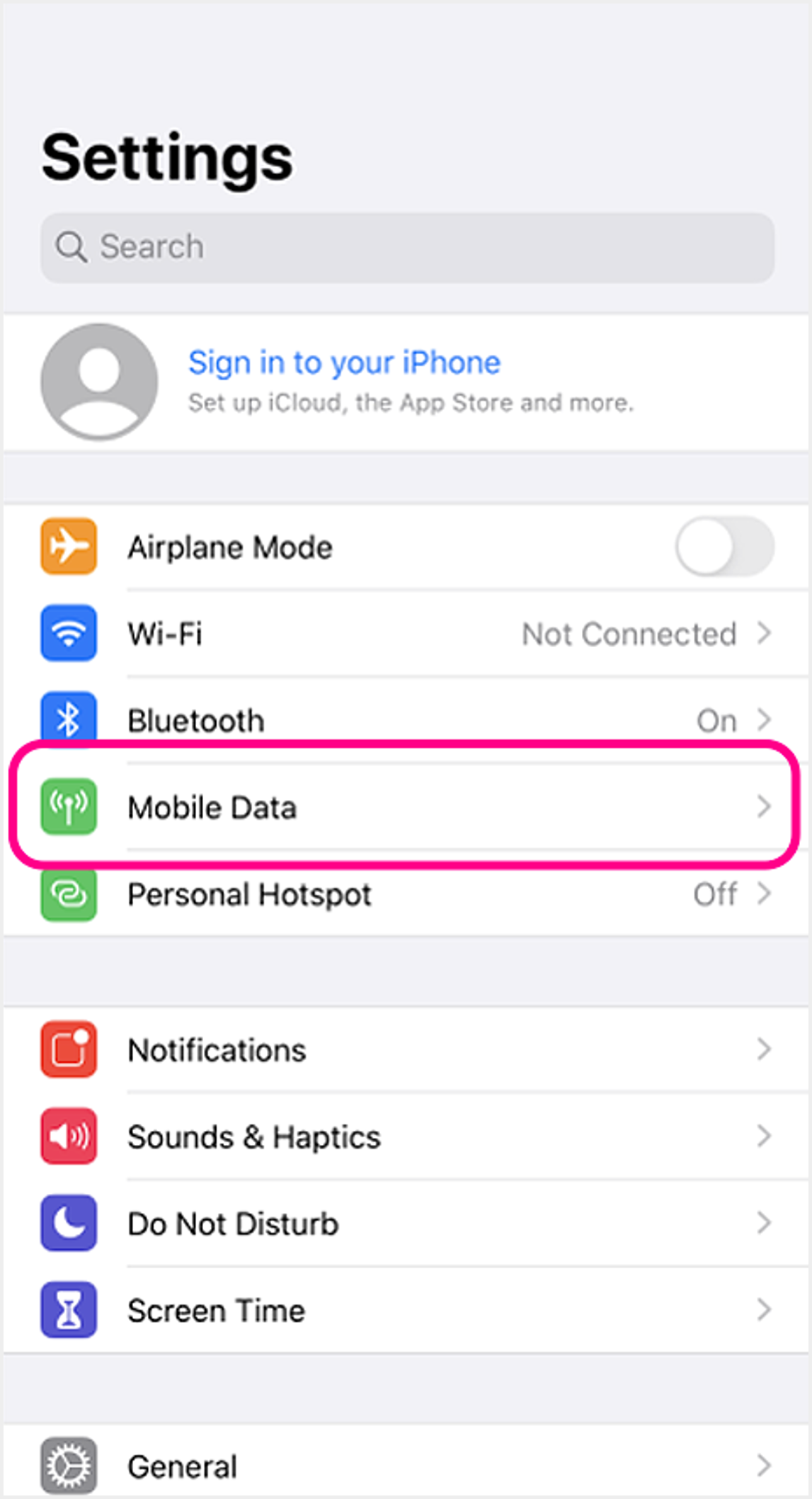 1 Go to device settings and select "Mobile Data" 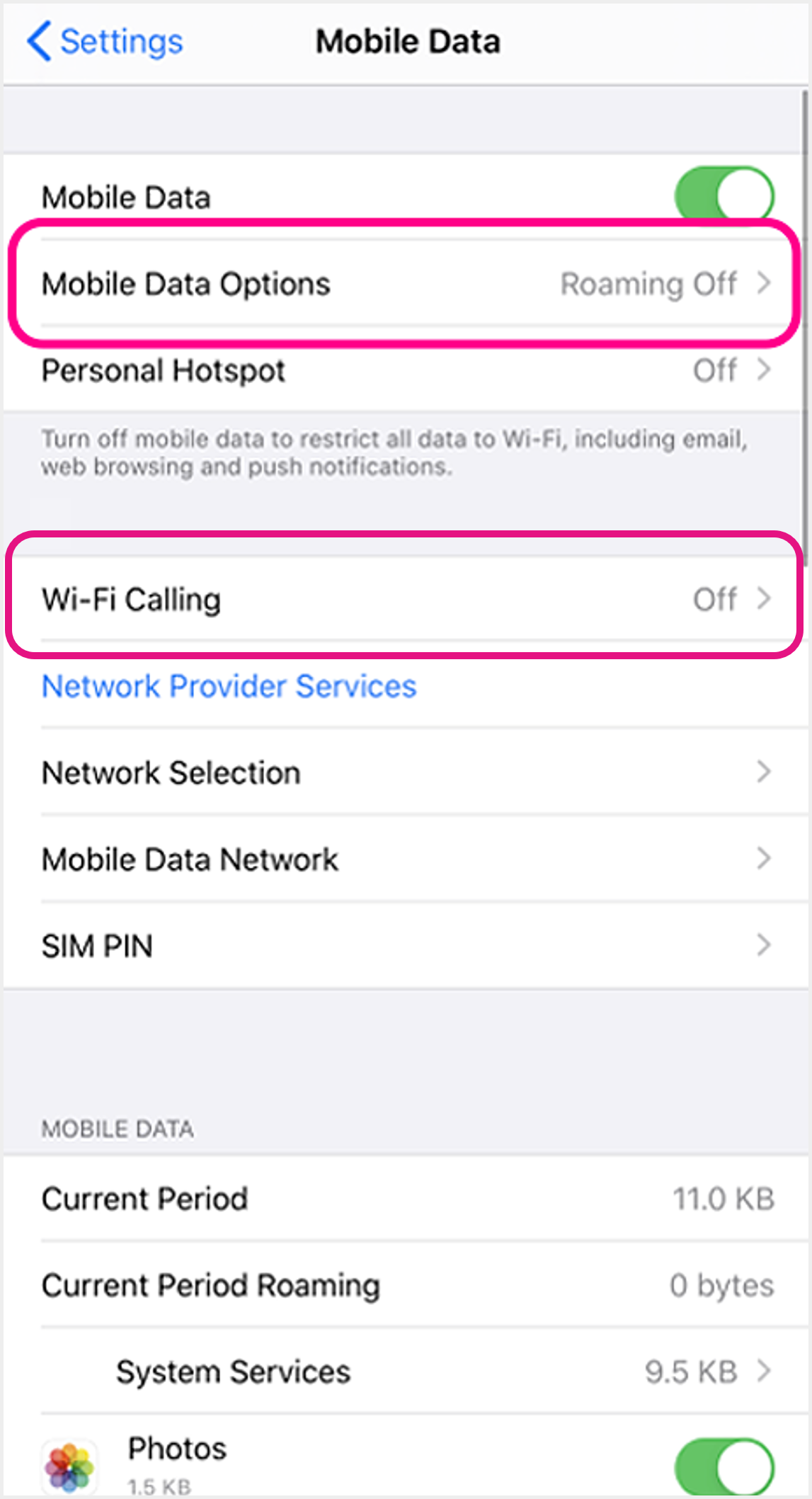 2 Select "Mobile Data Options"
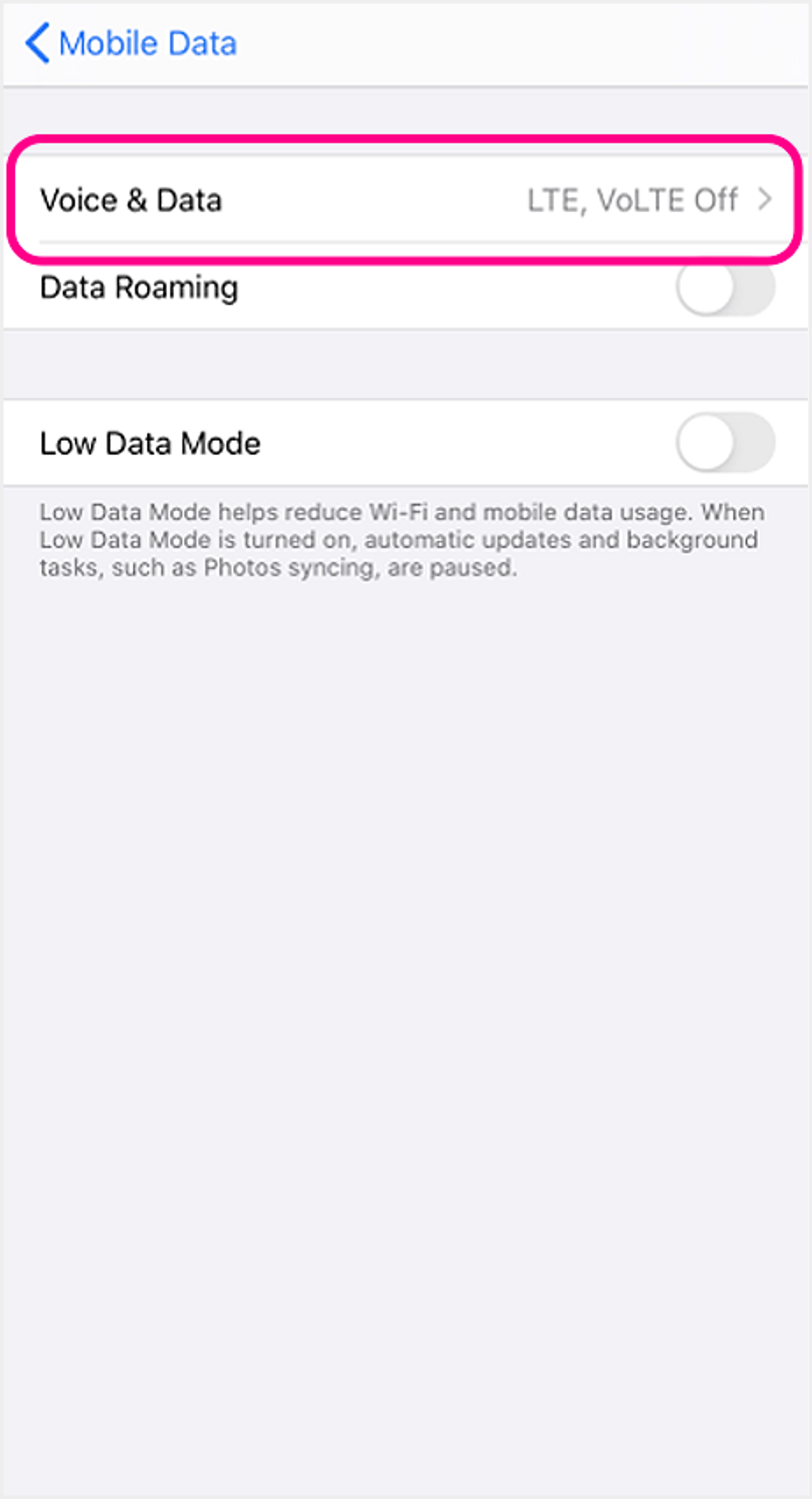 3 Select "Voice & Data" 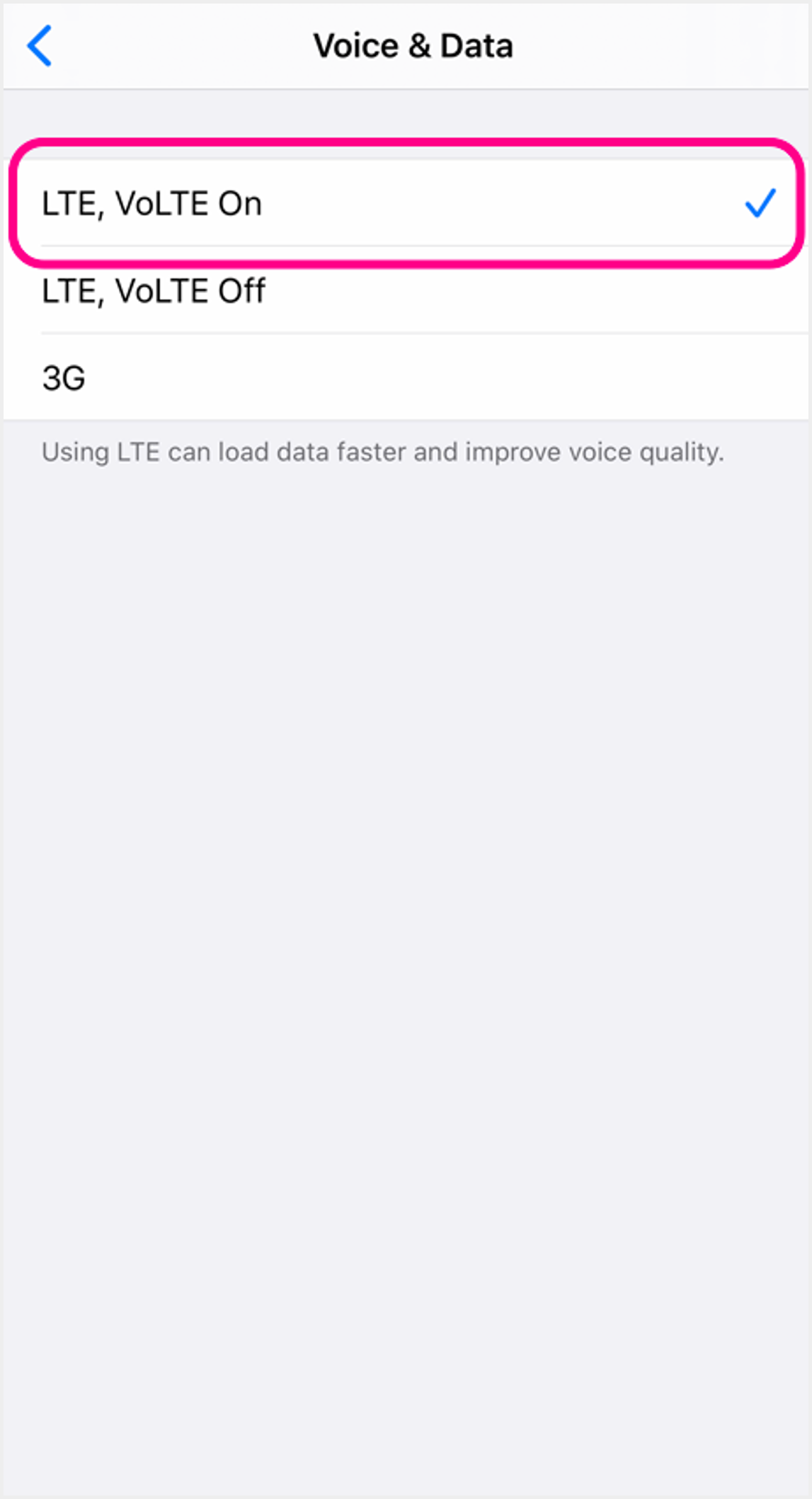 4 Select "VoLTE On" to use VoLTE |
|
iOS (Dual SIM) 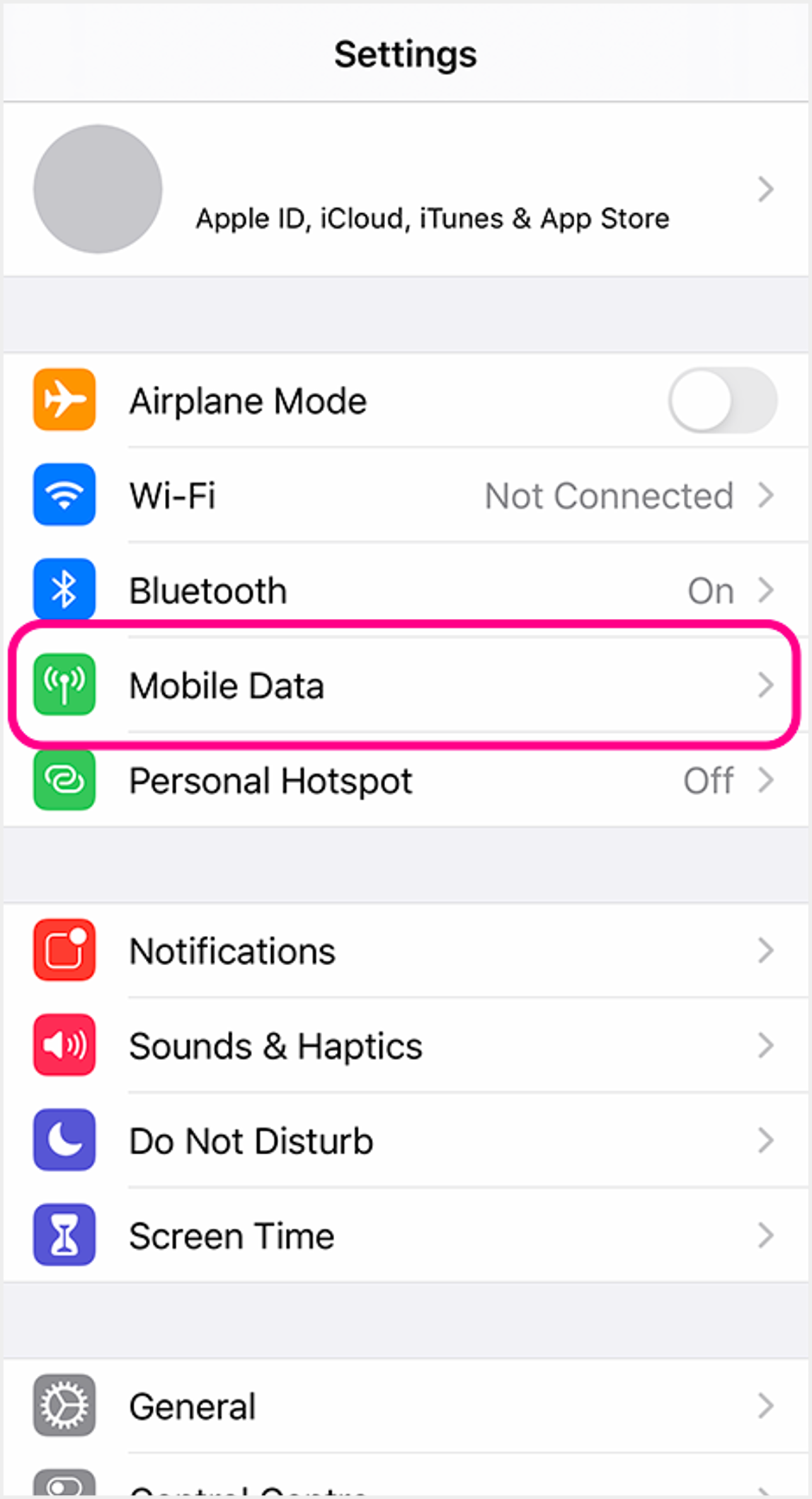 1 Go to device settings and select "Mobile Data" 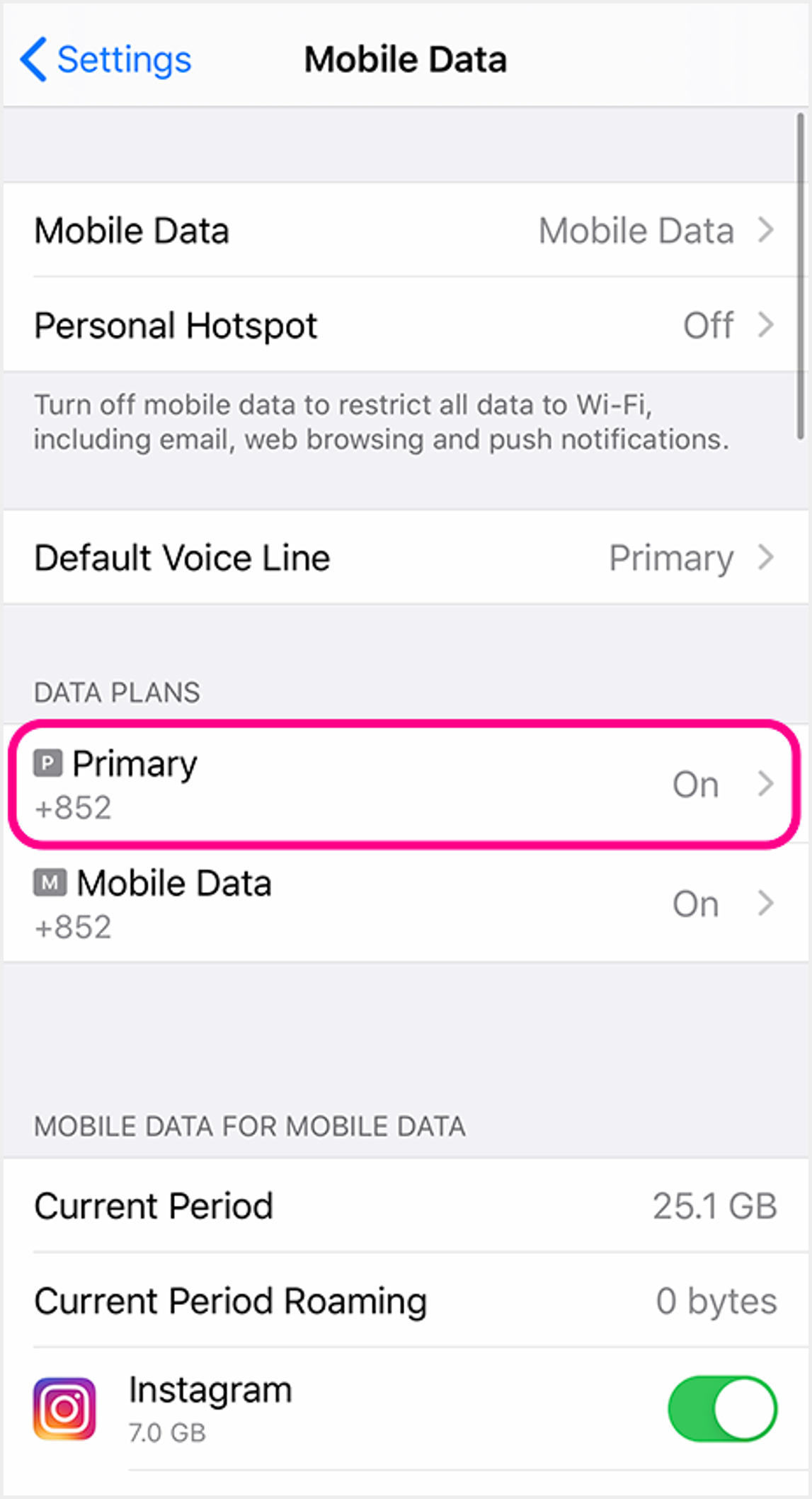 2 Select the SIM you wish to activate the service 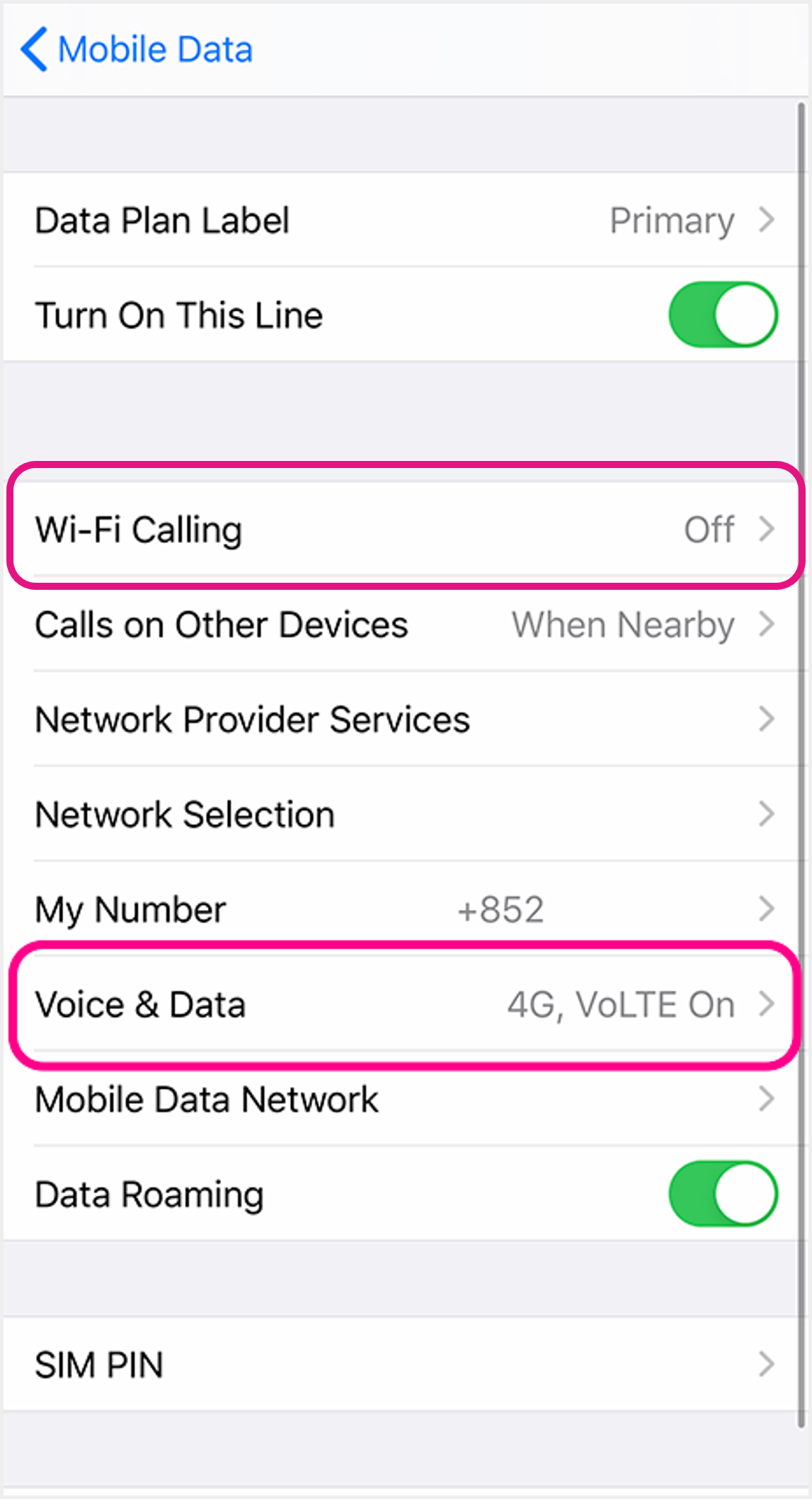 3 Select "Voice & Data"
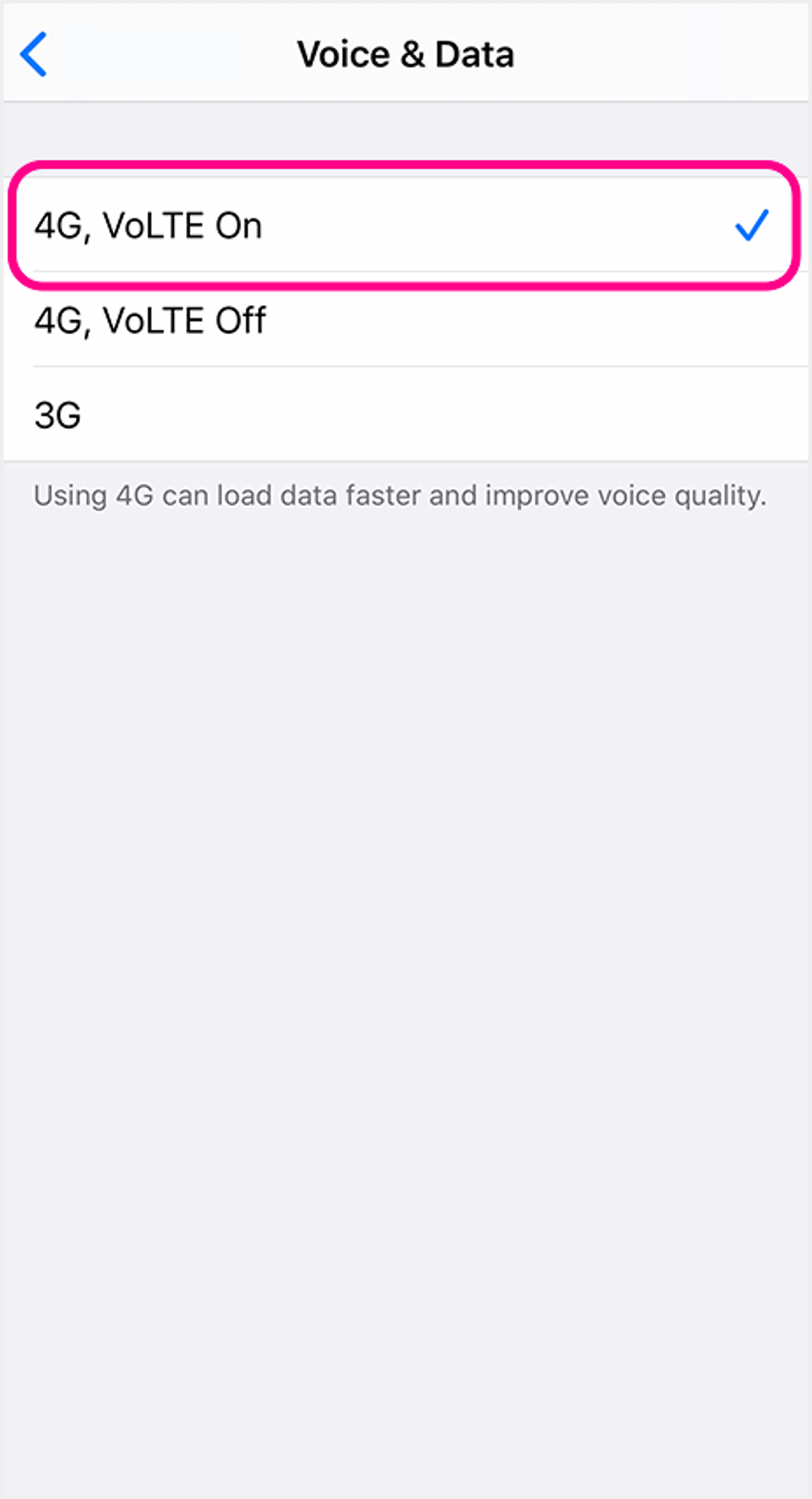 4 Select "VoLTE On" to use VoLTE |
|
Android 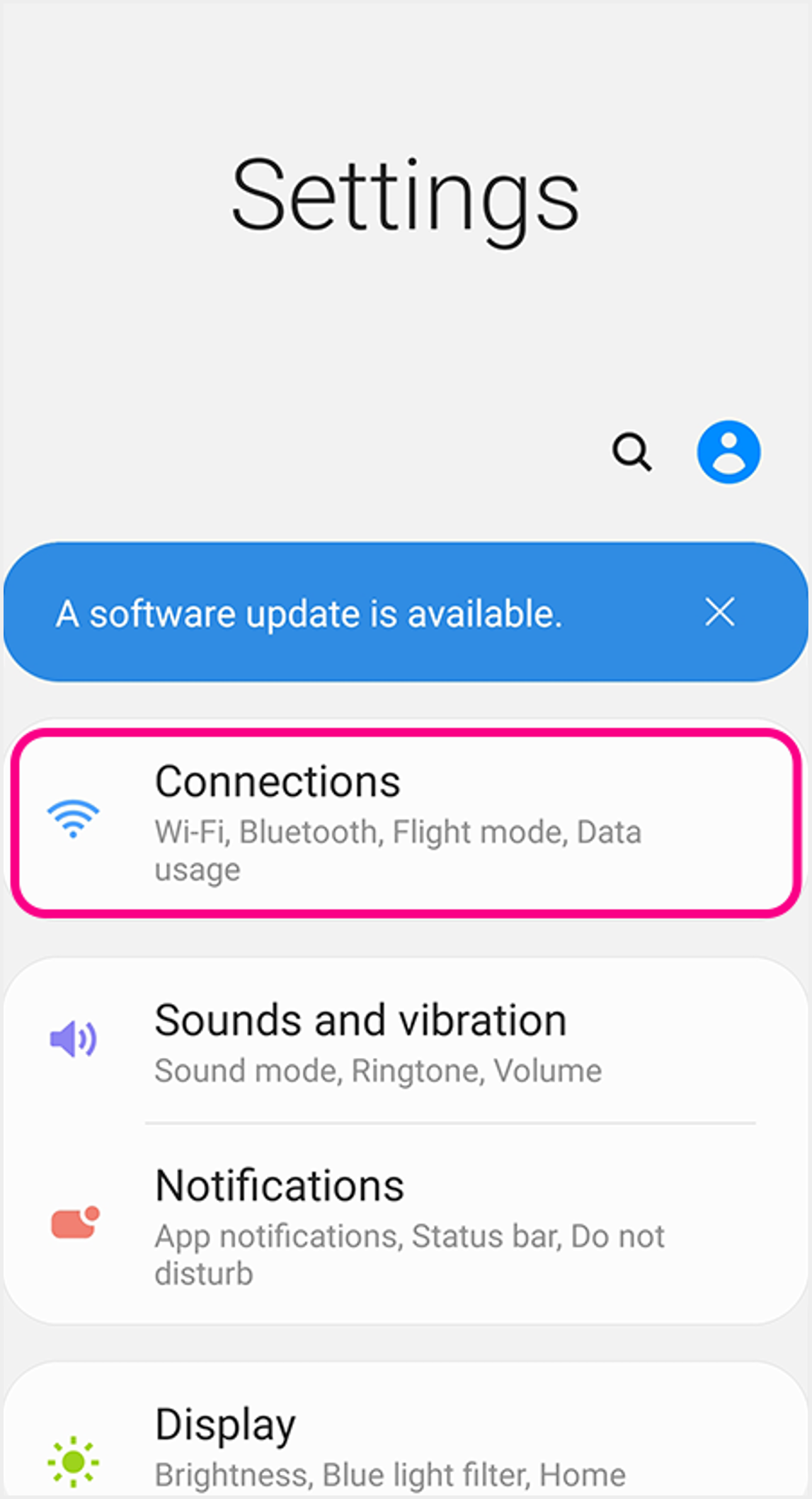 1 Go to device settings, select "Connections" 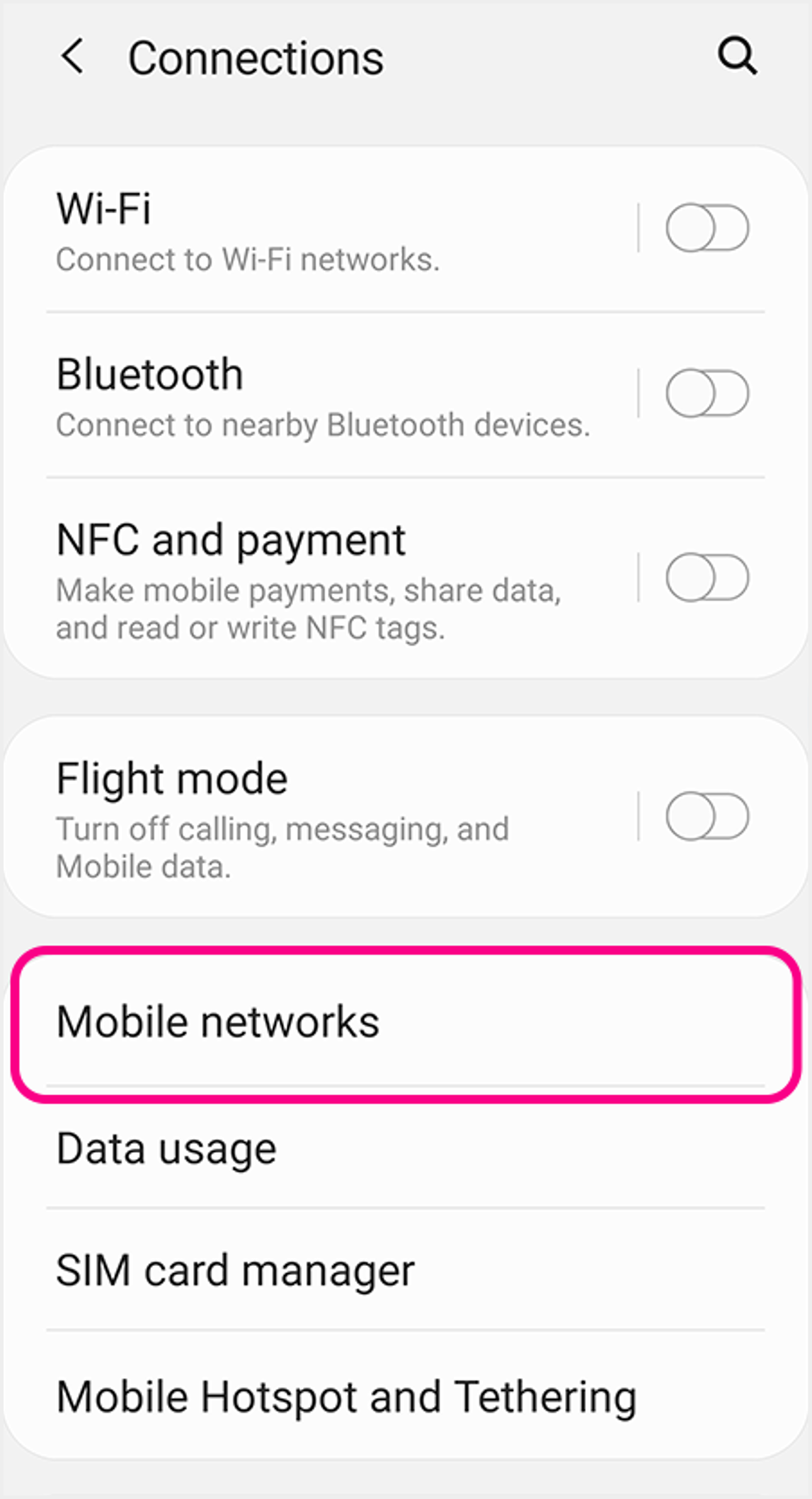 2 Select "Mobile Networks" 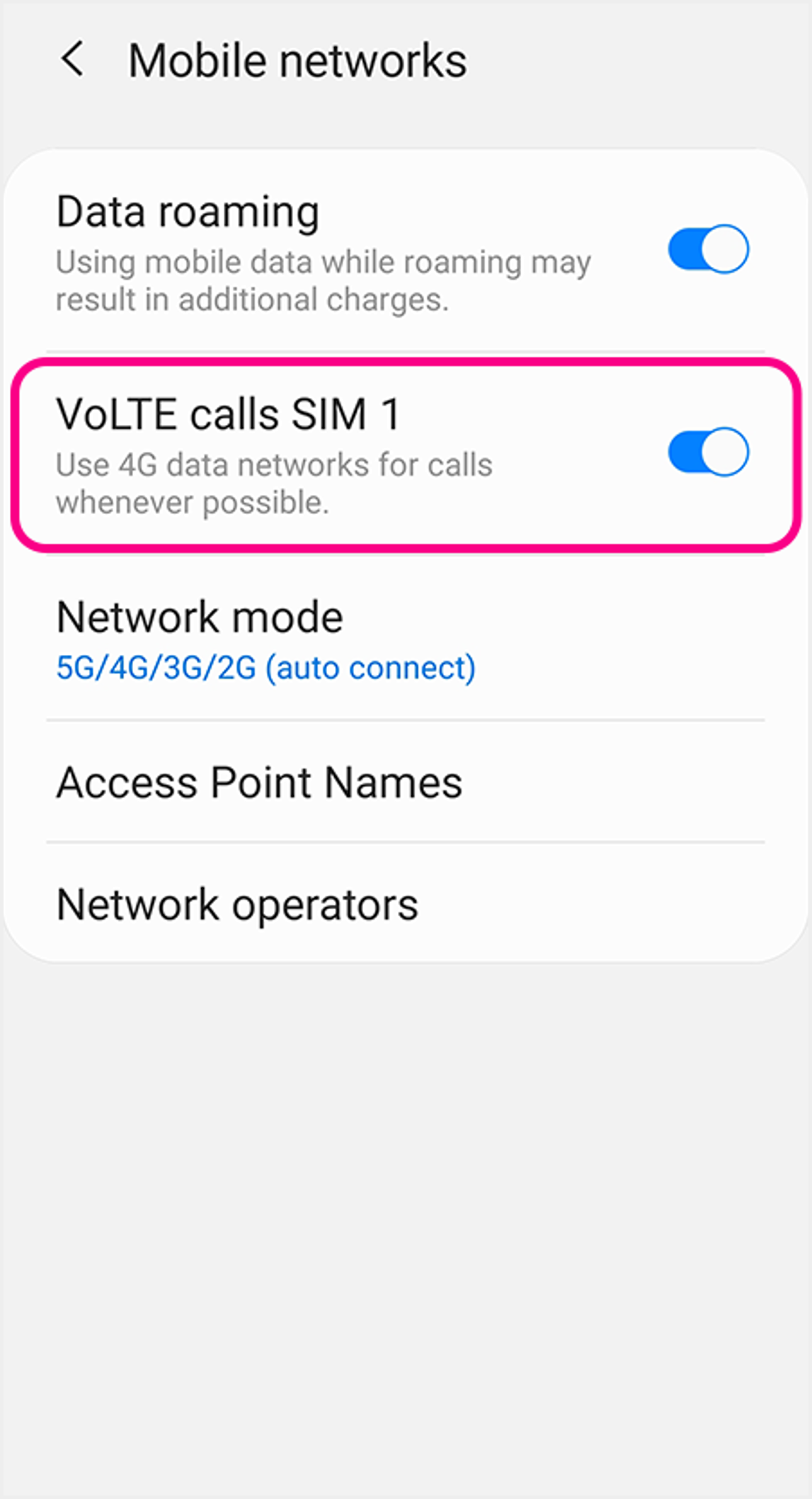 3 Choose the SIM you wish to activate VoLTE service, then click to turn ON "VoLTE Calls" to use VoLTE |





Download SIM World App
Download the app through official channels only to reduce the risk of your mobile device being hacked.